
 |
|
| By Product |
 |
| Value Edition | |
| Plus Edition |
 |
| Premium Edition |
|
| Amiga Explorer |
|
 |
|
| By Platform |
|
| Windows | |
| macOS |
|
| GNU/Linux |
|
| Other Platforms |
|
|
|
|
| By Interest |
|
| Emulation & OS | |
| Gallery |
|
| Videos |
|
| Games & Demos |
|
|
|
|
| Shop |
|
| Online Store | |
| Resellers |
|
| Affiliates |
|
| Safety & Privacy |
|
 |
|
Amiga Explorer |
||||||
|
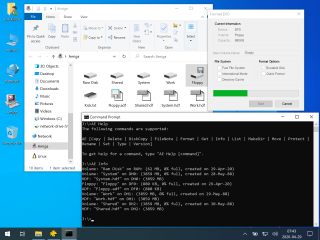
The Amiga Explorer networking software makes it possible to access the resources of an Amiga computer from one or more Windows systems. Configuration is extremely simple and by default requires only a few mouse clicks on the Windows side. Amiga Explorer is available as a stand-alone package, or as part of Amiga Forever Plus Edition and Premium Edition. Any Amiga Forever license key can be used to register the latest Amiga Explorer version downloadable from this page. The free (unregistered) version of Amiga Explorer can be used without restrictions in command-line mode, and with a small file size limitation in Explorer mode. Amiga Explorer upgrades have always been free, i.e. once you have an Amiga Forever or Amiga Explorer license key, that works with all versions of Amiga Explorer. Main Features
Requirements
Compatibility
Advantages
Limitations
Important: Amiga Explorer was designed for local use, and was not built to be secure across public networks. If using Amiga Explorer over TCP/IP, be sure to control access to port 356. Trial VersionAmiga Explorer is free to try, so you can make sure that your hardware and cabling work fine and that the software satisfies your needs. The unregistered version of Amiga Explorer never expires, but it cannot transfer files longer than 10 KB in Explorer mode (there are no limitations in command-line mode). To install the evaluation software just download it from the link on this page and follow the setup instructions. If you like the software you can purchase a license at any time, and add it without reinstalling the software (right-click the Amiga Explorer icon and select Properties). Thank you to all customers who register the software and contribute to the project. UpgradesThe same version of Amiga Explorer that is downloadable from this page for evaluation purposes can also be used to upgrade a previous installation, in which case previous registration and configuration settings are preserved. Updates can be checked for in the Properties dialog of the Amiga side of Amiga Explorer. PC-Amiga Connection ReferenceA serial cable connection is a standard and inexpensive method to connect different types of computers and other communications devices. While it is not the fastest type of cabling for networking, it is probably the simplest to implement on the most different systems, and it allows for the initial installation of the Amiga side of Amiga Explorer without requiring additional software to transfer the files from the PC. If you would like to use Amiga Explorer over a serial connection, the following articles include schematics to assemble the null-modem cable yourself, as well as part numbers and pricing information for standard cables, and for Bluetooth serial adapters: If you prefer to use Amiga Explorer over TCP/IP, which allows for very fast connections over Ethernet, the Amiga Explorer documentation includes a complete tutorial on the installation of Ethernet and TCP/IP in mixed Amiga/PC environments. If you already have a network you only need to enter the Amiga's host name or IP address in the Amiga Explorer settings on Windows. If there is a firewall or router anywhere between the two, make sure that port 356 is not blocked. Change the default connection password on both the Amiga and the Windows side as an additional safety precaution. If you would like your Ethernet-enabled Amiga to join a WiFi network you can attach a "wireless game adapter" or similar device to the Amiga Ethernet port, and Amiga Explorer will work over that as well. |
|