|
All content of all Amiga Forever versions is tested and supported on Windows. Amiga Forever
includes Windows-only content, such as the emulation and content authoring
software, the
Amiga
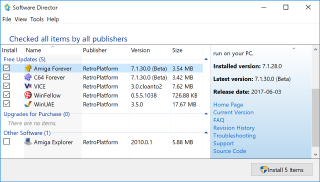
Explorer networking software, and Software Director
for easy and privacy conscious emulation news and updates. All software
runs on Windows 11, Windows 10, Windows 8, Windows 7, Windows Vista and
equivalent Windows Server editions. Both x86 and x64 versions are
supported. Dark mode requires Windows 11, or Windows 10 version 1809 or
higher.
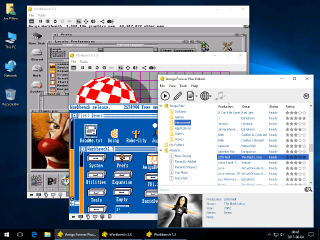
The Amiga emulation software can run in a full screen or in a window,
side by side with other Windows applications. If you have two screens, you
can output the Amiga video in the secondary monitor. Check out the Tools/Options
dialog
in the Amiga Forever player. The two Amiga keyboard keys are assigned to the pair of Windows keys (or to
Insert and Home, if missing).
The Amiga emulation automatically uses the IP address of the PC for
internet access, as if it were a normal Windows application. CD drives and
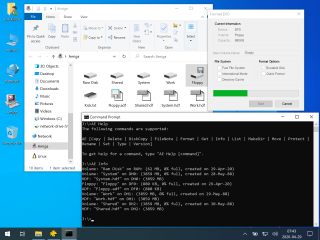
media are mounted automatically. Windows file system content can be mounted
into the Amiga. For example, the System and Work partitions of the 3.X
environment are mapped to directories inside "Amiga
Files".
|
|
|