
 |
|
| Amiga Forever |
 |
| Welcome | |
| Features |
 |
| Screenshots |
|
| What's New |
|
| Testimonials |
|
| News & Events |
|
| Manifesto |
|
 |
|
| Customers |
|
| Registration | |
| Upgrades |
|
| Software Director |
|
| Source Code |
|
|
|
|
| Memory Lane |
|
| Amiga Games | |
| Amiga Demos |
|
| Amiga Faces |
|
| Amiga Voices |
|
|
|
|
| AmigaForever.com |
|
| Search | |
| Contact |
|
| Log |
|
| Legal & Privacy | |
 |
|
Amiga Demoscene Productions |
||||||||
|
Thanks to its multimedia capabilities, the Amiga computer was immediately embraced by
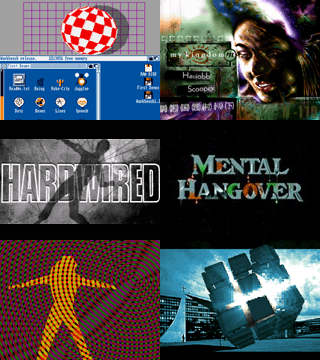
the demoscene, and in turn it gave prominence to the scene and to its culture. If you are not familiar with demoscene productions, you can think of a demo as a compact, self-contained piece of software that combines and demonstrates art and technical excellence. To better appreciate a demo keep in mind that everything you see and hear in a demo is generated in real time by computer code (there is no pre-rendered animation), and that the code itself is relatively compact (which is part of the challenge). Unlike in a game, there is no interaction in a demo: just start the demo, and sit back and enjoy it. Included DemosAmiga Forever contains a preinstalled selection of well-known Amiga demos, preconfigured for one-click launching. All works are included with permission from their creators. Additional demos can be downloaded from the sites listed below. Download and Support SitesThe following is a list of the major sites which include or link to Amiga demos with permission of the copyright holders:
Additional InformationSome multiple-disk demos may require a key to be pressed (e.g. Enter, or one of the two mouse buttons) to confirm that a new disk has been inserted. The demos are stored in the "Demoscene" directory, inside "Amiga Files" when installed on a Windows system. |
|